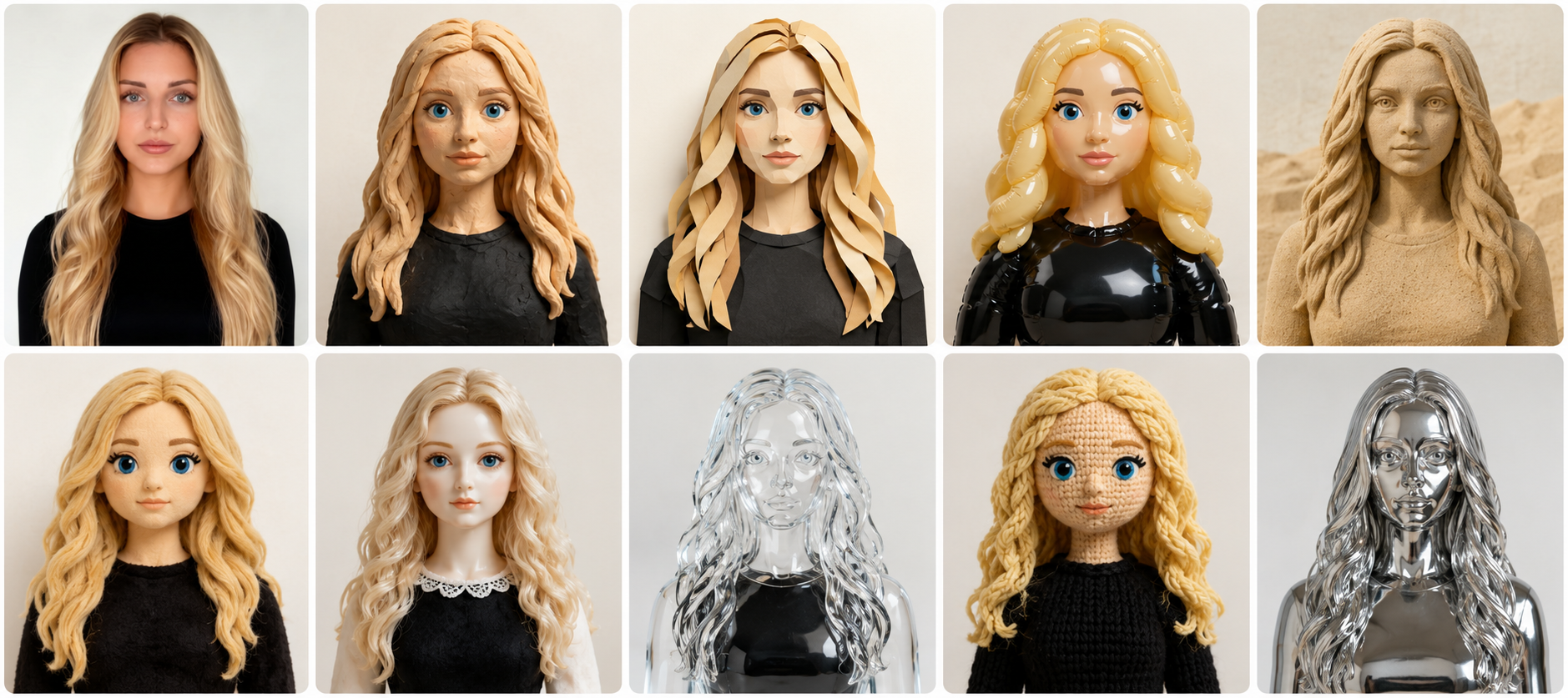
One face. One voice. Every creation, every time.
Most generative tools forget who you are between prompts. Personas in Sogni flip that around: you build a small profile once, a photo, a relationship, a description, a default outfit, even a short voice clip, and from then on the assistant uses it as the source of truth for every image, every video, every line of dialogue you ask for.
The walkthrough below is a single chat session. We register a Persona, turn her into a claymation character, animate her with Seedance 2.0 or LTX 2.3 audio, and spin a 15-panel storyboard with GPT Image 2.0, all inside chat.sogni.ai.
Set an image and a profile for the people that matter.
Open the Edit Person panel and upload a clean photo. Pick the name, the type of relationship (you can even add your pet), and add the description you want the model to remember (job, vibe, anything that shapes scripts later).
The right side is where the magic happens: nicknames the assistant will recognise, an AI description it auto-fills from the photo, a default attire, and a voice slot with a 5-second clip. Once it's saved, mention the person by name and they will appear, recognisable, consistent, and in the right voice.
Open chat.sogni.ai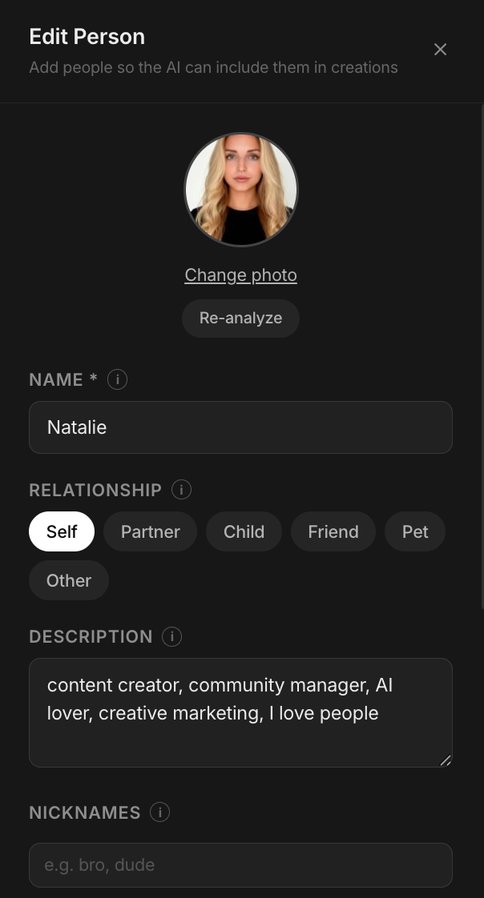
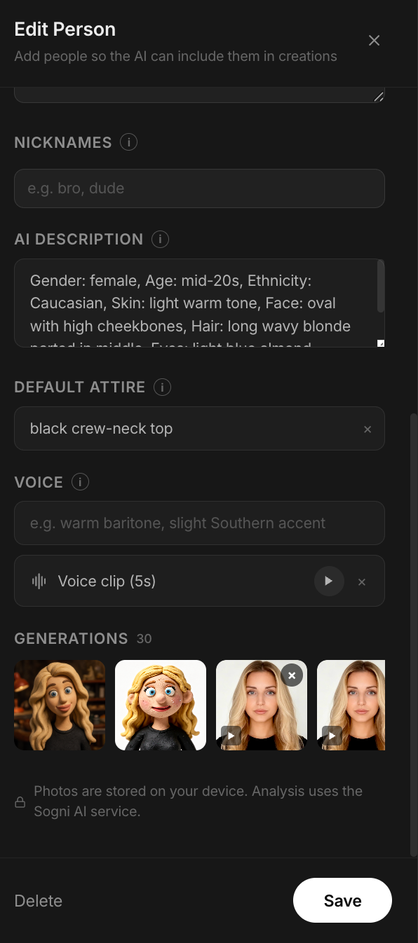
Create a clay version of my persona.
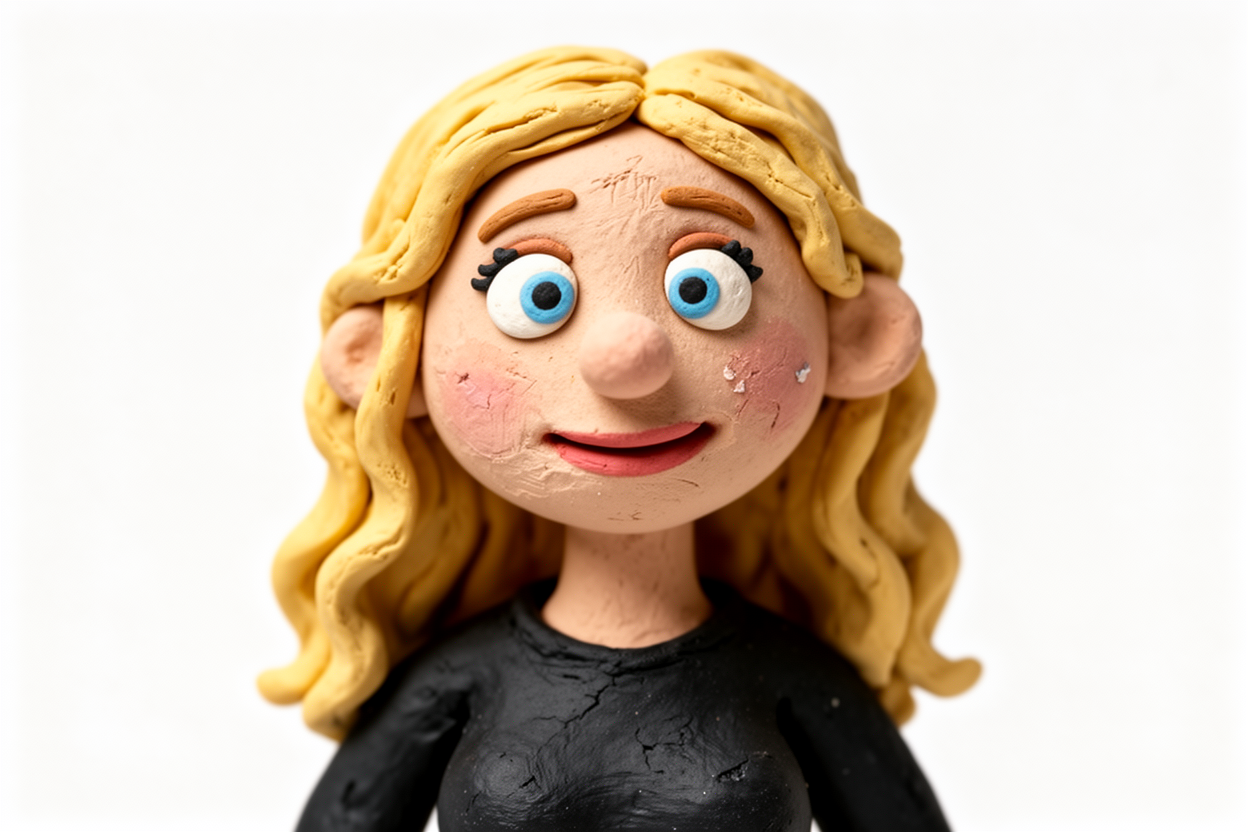
That is the entire prompt. Creative Agent 1.0 pulls the registered photo, keeps the face recognisable, and renders Natalie as a claymation character with warm light, handmade texture, the same blonde wavy hair and black top.
No reference uploads. No re-prompting "blonde woman, blue eyes, black top". The Persona is the reference.
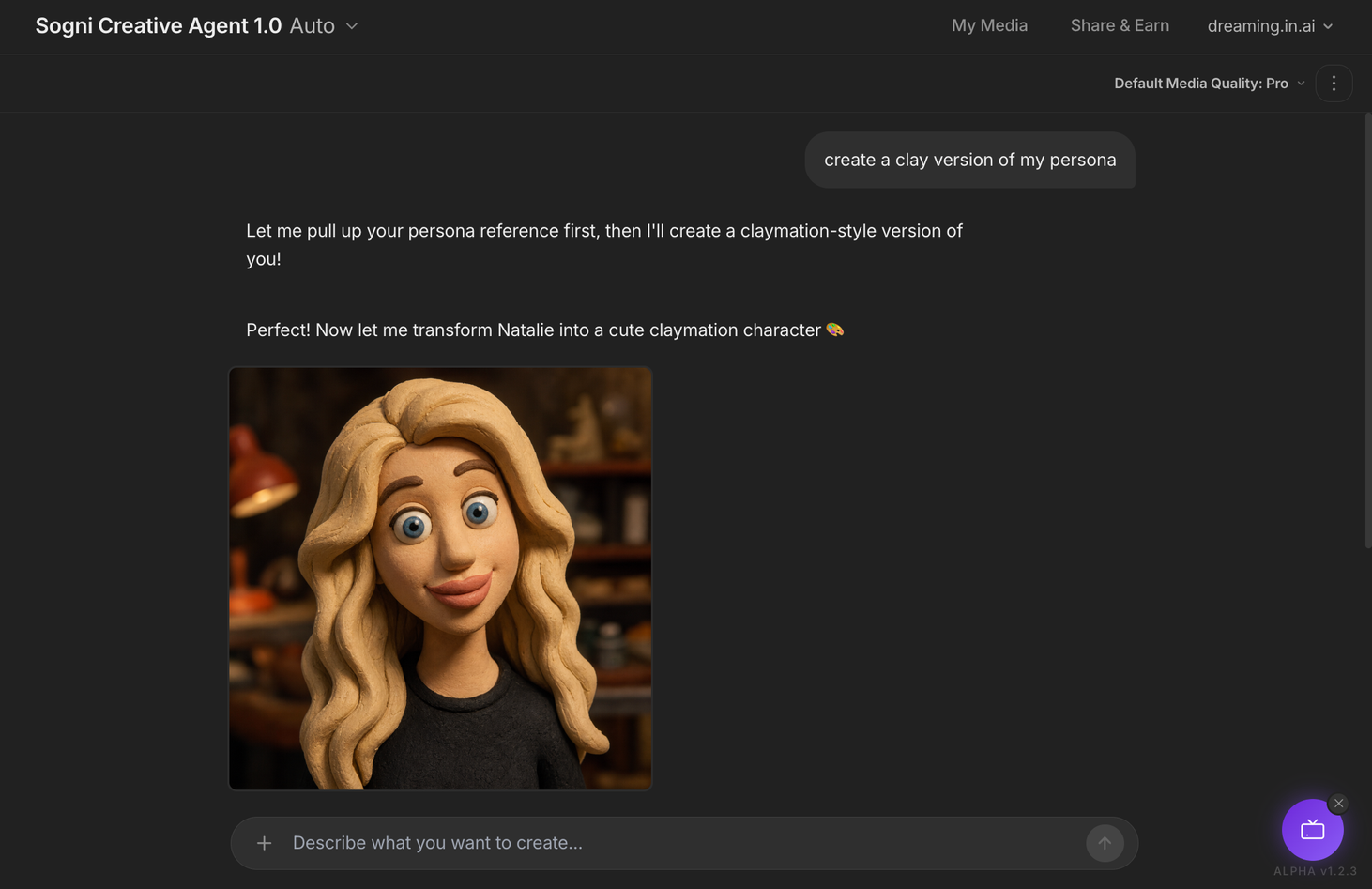
Tell your Persona what to become. Then see the result.
Now the fun part. Decide what should happen to your Persona and just say it in plain words: turn me into a claymation character, make a Pixar-style version of me, put me in a watercolor portrait, show me as a 90s anime hero. Style, medium, era, vibe, your call.
The agent uses your registered photo, your description, and the AI face analysis to generate the new render, and the face stays your face. High cheekbones, almond-shaped eyes, the cheekbone freckles, the colour of the top, all preserved across whatever transformation you ask for.
From here, every follow-up message can refer to "me", "her", "Natalie", or any registered nickname, and the model will keep the same character across the whole conversation.
Hand the still over and ask it to speak.
Drop the clay portrait back into the chat with a single instruction: use the Persona's voice, LTX 2.3 at 6 seconds, keep the original aspect ratio. The agent animates the character, lip-syncs it to the registered voice, and renders a clip up to 20 seconds long with native audio.
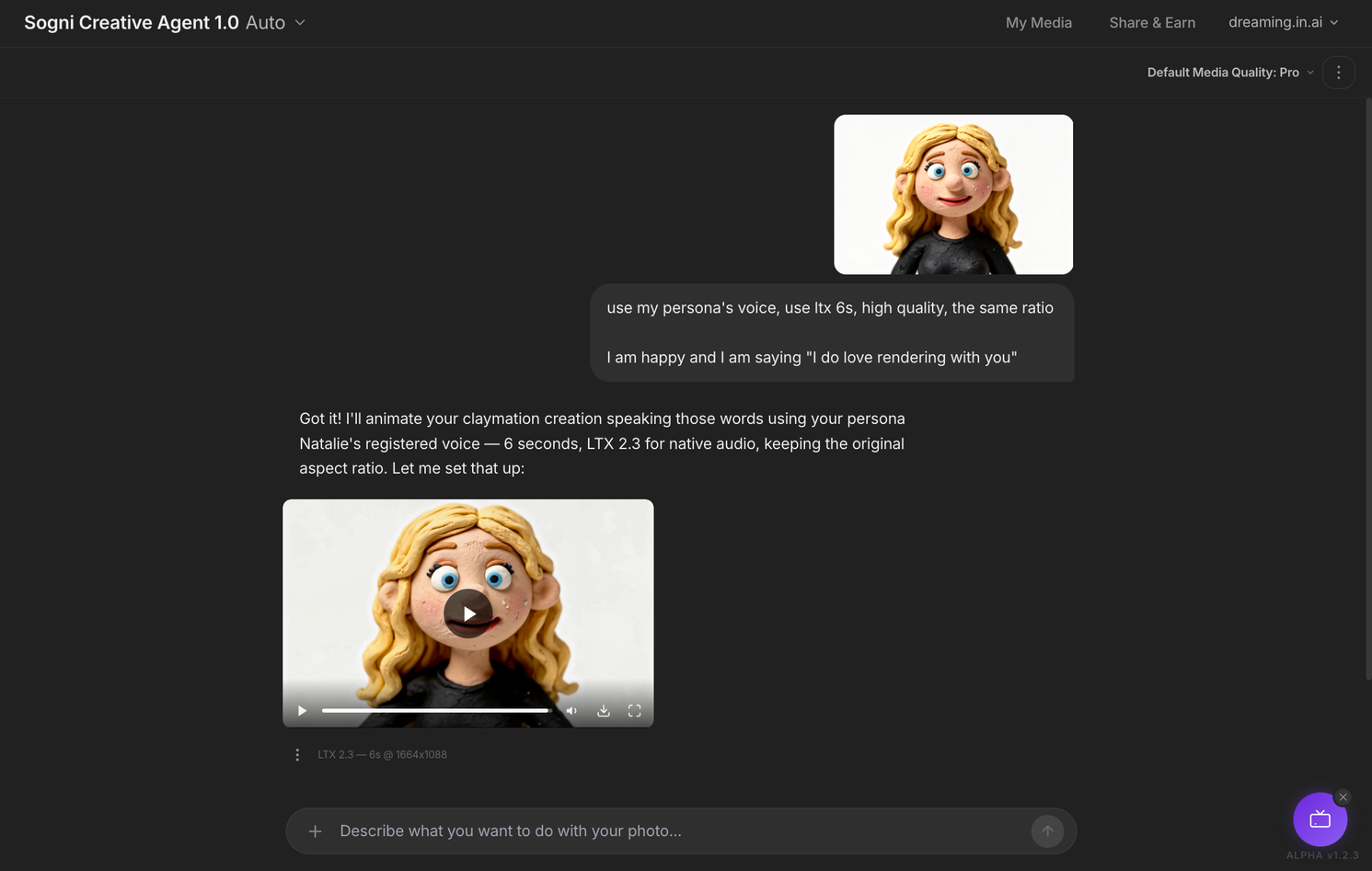
What you should have now: a short talking clip of your Persona, same face, same voice, with native audio, generated straight from chat.sogni.ai.
Let's try with a kiss, I am sending a kiss now.
Same character, same chat, new gesture. The agent picks up the previous render, re-animates the figure puckering up and blowing a kiss, keeps the 6-second duration and the LTX 2.3 audio model. No re-uploading. No restarting.
That is the second reason Personas exist: the chat remembers who is on screen, so iterations stay tight and recognisable.
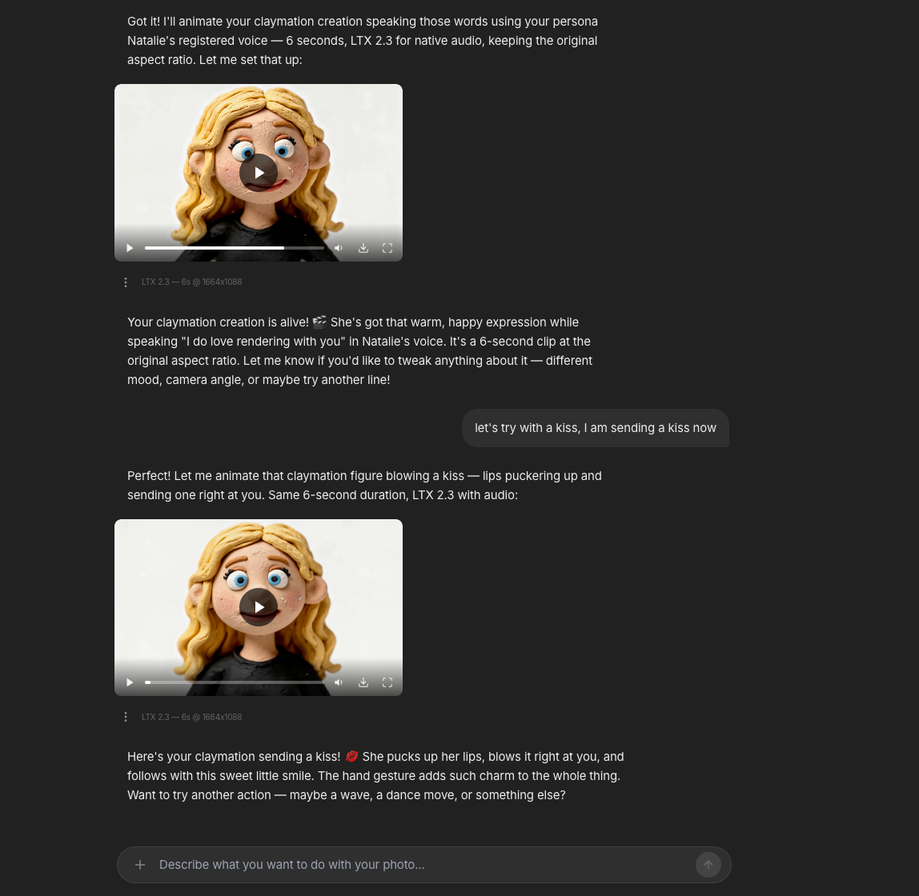
What this proves: two clips of the same Persona, two different actions, zero re-uploads. The character stays locked across the whole conversation.
Build a full storyboard sheet. Same chat, same character.
Switch the model to GPT Image 2.0 and paste a structured brief: a polished 15-second vertical storyboard, 5×3 grid, panel numbers, timecodes, scene titles, and VO captions. Use the Persona as the main character identity so every panel features the same handmade clay girl.
One generation, one printable sheet. The whole morning routine, wake up, stretch, brew coffee, latte art, end card, laid out in the order it will be shot.
What prompt should you use?
Simply upload the image you want to use, for example, your character or Persona, and describe the storyboard theme. If you mention in the prompt that it should use GPT Image 2.0 and create a storyboard for a Seedance 2.0 video, the tool will automatically understand and execute the workflow for you.
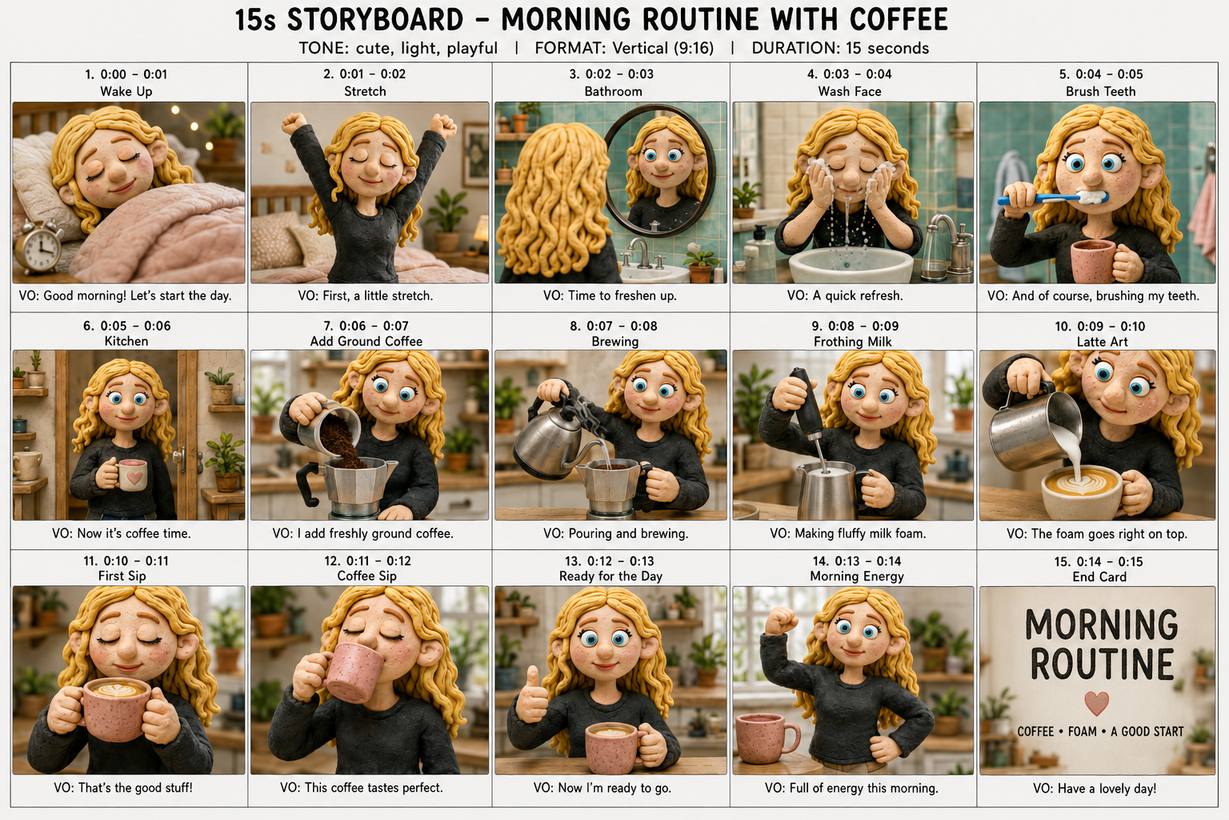
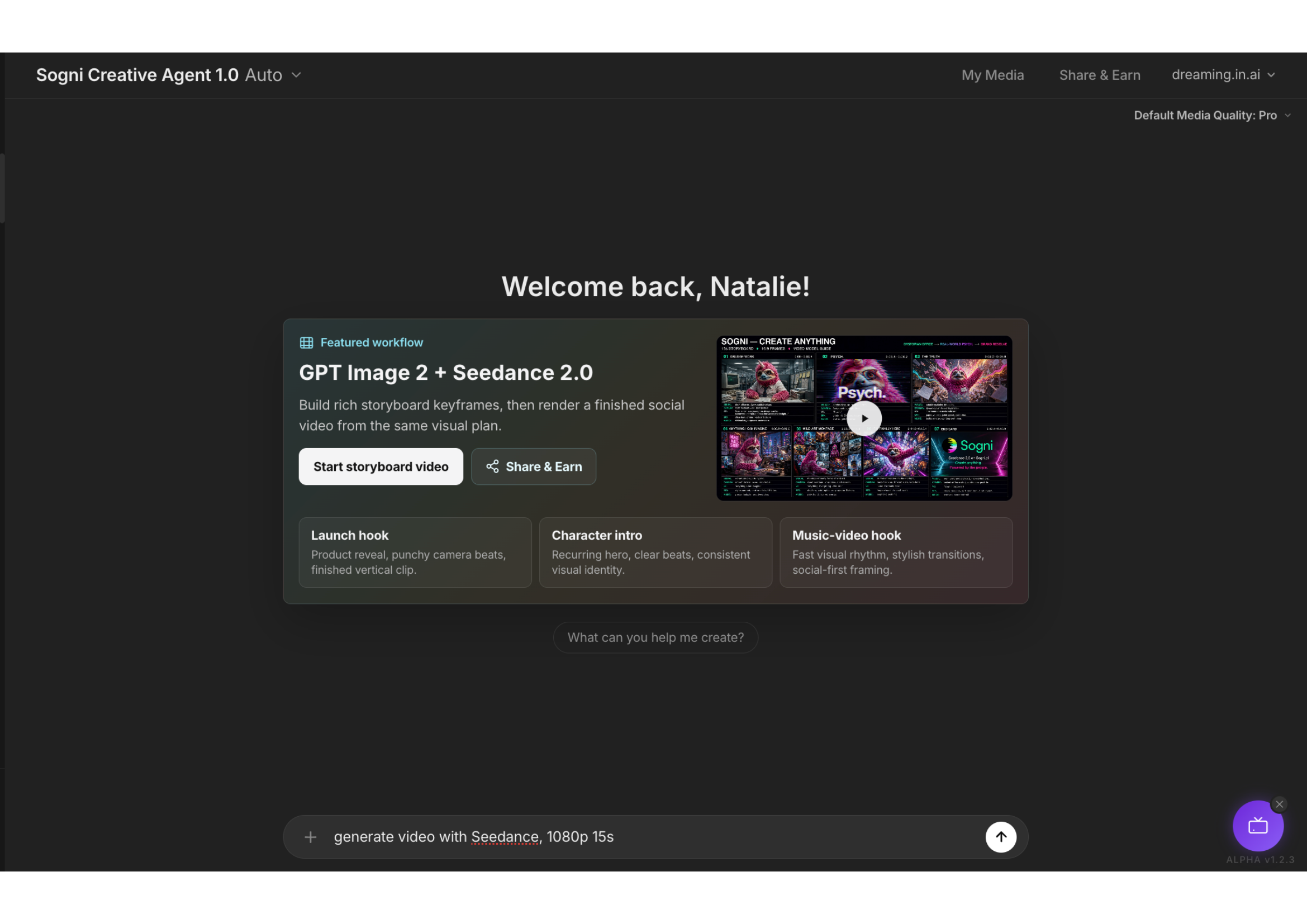
Want the finished story? Write a prompt and let Seedance 2.0 build it from your storyboard. Done.
Seedance 2.0 lives in the same chat. Same Persona, same
character, but a different video model when you need a different rhythm:
longer takes, cleaner camera moves, a more cinematic feel. Swap one word in
the prompt (ltx
→ seedance 2.0)
and you get a different render style without losing the character.
The storyboard becomes the shoot.
Hand the storyboard back to the agent and watch the morning routine come alive, same Persona, same fifteen panels, now a finished clay-stop-motion cut with native audio.
That is the bridge between planning and shooting: the storyboard is the map, the video is the finished scene.
What prompt should you use?
The simplest one possible. Just ask Seedance 2.0 to render a video from your storyboard, and tell it the size, the quality, and the length you want.
Want background narration or on-screen captions? Add that to the same prompt. Give us only the basics, we'll handle the rest for you.
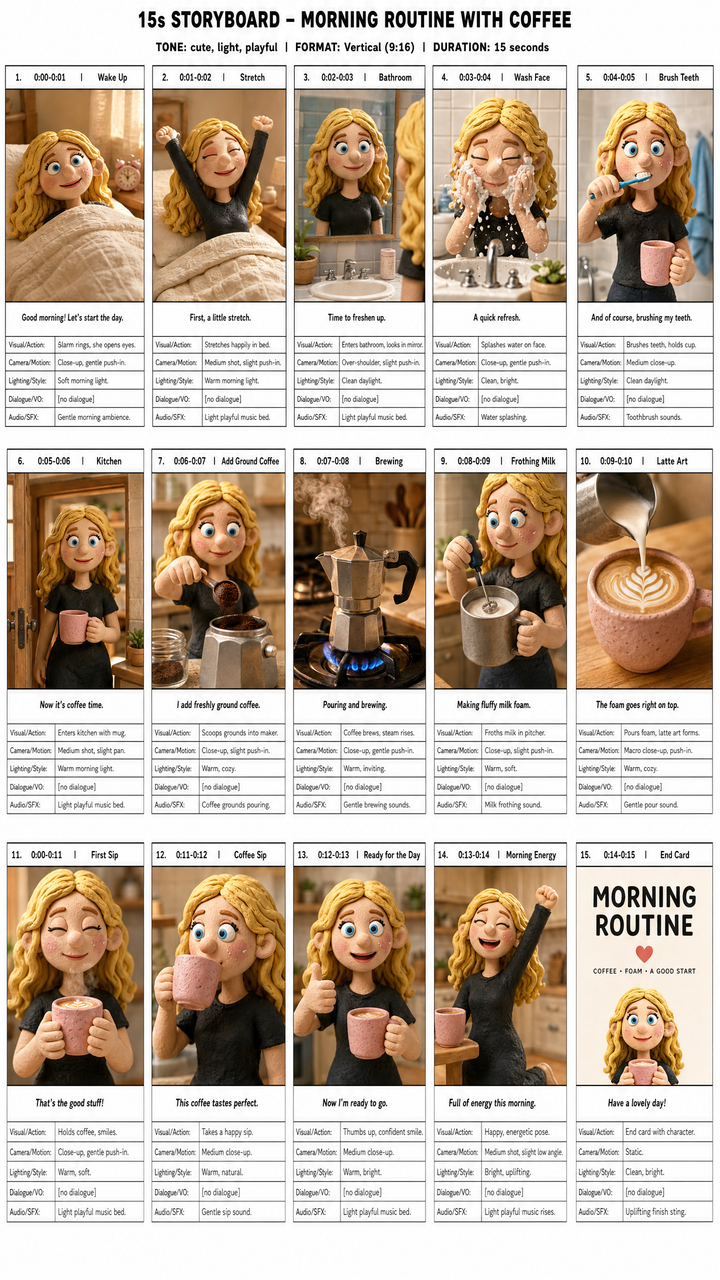
One Persona. One chat. From a single photo to a 15-panel storyboard.
The point of Personas is control. You decide who shows up, what they sound like, and how they're styled, and the model carries that identity through every step, from a one-word "make it clay" to a talking 6-second clip to a finished 15-panel storyboard. Build it once, reuse it forever.
When you're ready, keep going with the rest of the workflow: